


Detailed Rear Camera Installation


Senior Member
Joined: Feb 2007
Posts: 744
From:

Thanks for the great job, please take a look at this Outlander special camera, with much easier installation http://www.compucn.com/Mitsubishi-Ou...ra-CN9580.html

Junior Member
Joined: Jun 2010
Posts: 11
Successfully installed a back-up camera on my 09 SE using a camera similar to that posted by compucn.
Connected the camera power to the back-up light and the Vin(+) to the orange wire and Vin(-) to the yellow wire on the connector at the back of the MMCS.
My 09 SE has a pre-wired connector located at the back right side which some call D-38. However, i have to trace the wire coz it has different color codes compared to the one at the back of the MMCS.
MMCS Connector (D-38 Connector)
Orange (Blue)
Yellow (Light Blue)
I didn't feel the need to ground the Yellow or Light Blue connector coz it's already been grounded via the negative line of the camera power.
Also, thank you to all the knowledge that i acquired from this forum on how to install the back-up camera.
Connected the camera power to the back-up light and the Vin(+) to the orange wire and Vin(-) to the yellow wire on the connector at the back of the MMCS.
My 09 SE has a pre-wired connector located at the back right side which some call D-38. However, i have to trace the wire coz it has different color codes compared to the one at the back of the MMCS.
MMCS Connector (D-38 Connector)
Orange (Blue)
Yellow (Light Blue)
I didn't feel the need to ground the Yellow or Light Blue connector coz it's already been grounded via the negative line of the camera power.
Also, thank you to all the knowledge that i acquired from this forum on how to install the back-up camera.
Senior Member
Joined: Feb 2007
Posts: 744
From:
Sniper-X please post some feedback about video quality and the scope of the wide angle view. Does it pretty much cover the whole backside of the vehicle? How long did you have it? Any issue with waterproofing/moisture in the camera lens/housing?
Junior Member
Joined: Jun 2010
Posts: 11
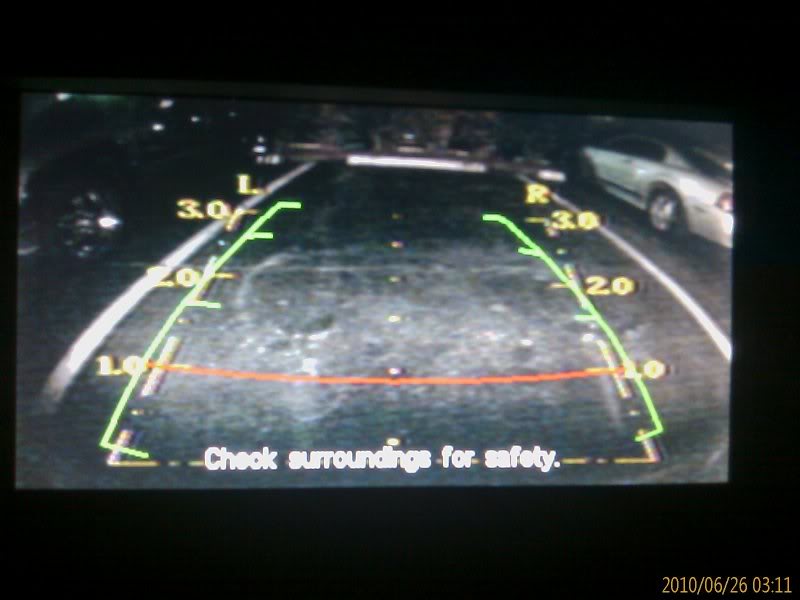
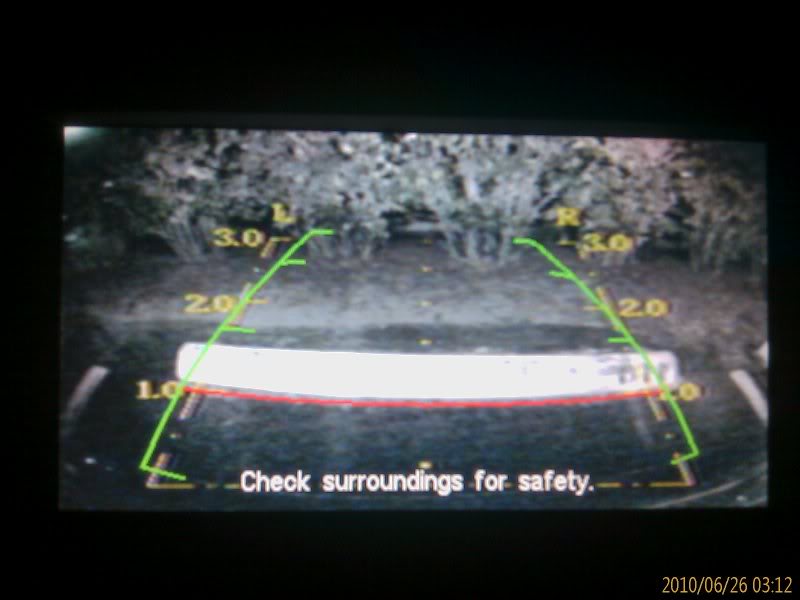
rcpax, i've been using the camera for 3 days now. everything seems ok. it rained last night but can still use it. video quality is ok. very clear in the morning. little grainy at night but still viewable. video scope, you can see your bumper, both sides of the parking lane. you can see the whole back. the camera come's with the guide (yellow). then the mmcs also has a guide (green). so i have to overlap the mmcs guide to the camera guide. the mmcs has a red guide that is I think 1 meter from your bumper. ill try to post some pics.
i bought the camera thru ebay for $39.00 with free shipping. here's the link: http://cgi.ebay.com/ebaymotors/ws/eB...m=190406295081
this is the least expensive that i can find with the same type of camera.
i bought the camera thru ebay for $39.00 with free shipping. here's the link: http://cgi.ebay.com/ebaymotors/ws/eB...m=190406295081
this is the least expensive that i can find with the same type of camera.
Junior Member
Joined: Jun 2010
Posts: 11
Here are some photos of the backup camera and how it looks like in the morning. I'll post later how it looks like at night time.
Note: picture is overexposed due to too much sunlight. took it at 1:00
.
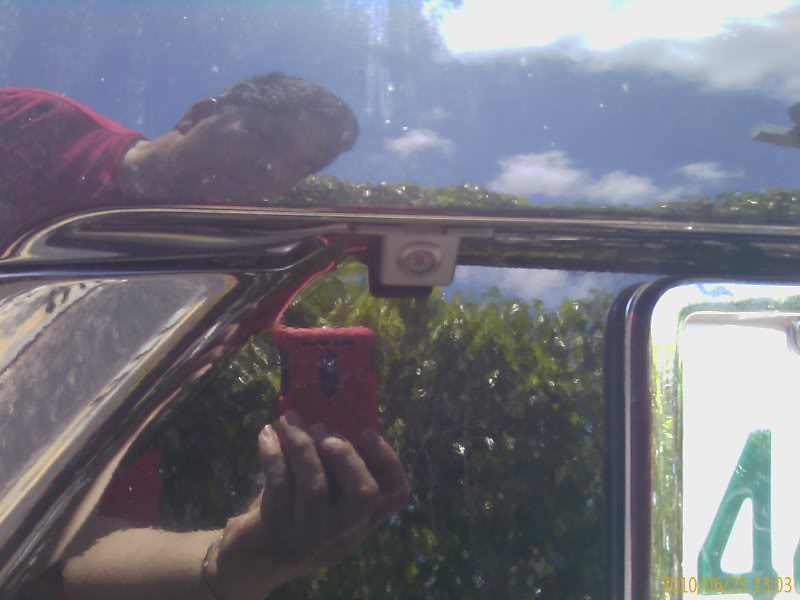
This is how the camera looks like in the pre-cut hole in the outlander.
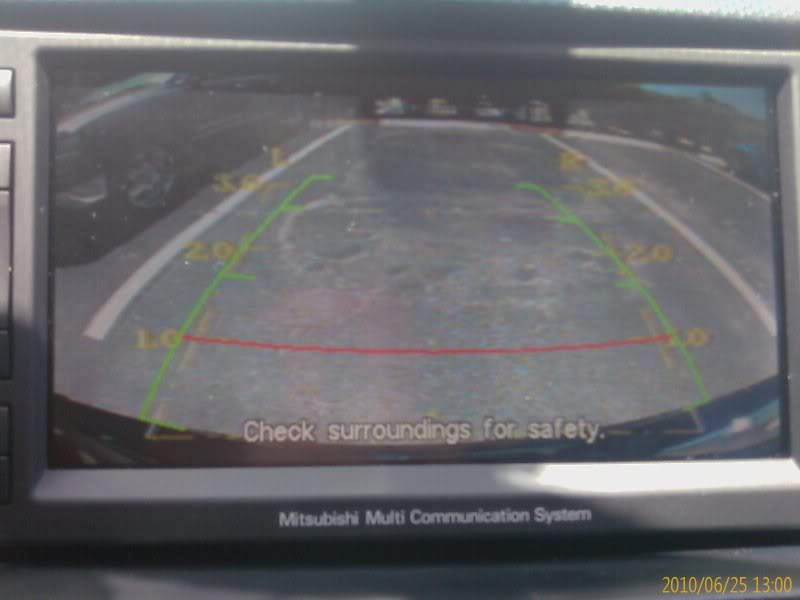
This is view in the parking lot, you can see both lane. Also, you notice there are two guidelines, the yellow one from the camera and the green one from the mmcs. i overlapped the mmcs guideline to the camera guideline. The black thing at the bottom of the video is the bumper.
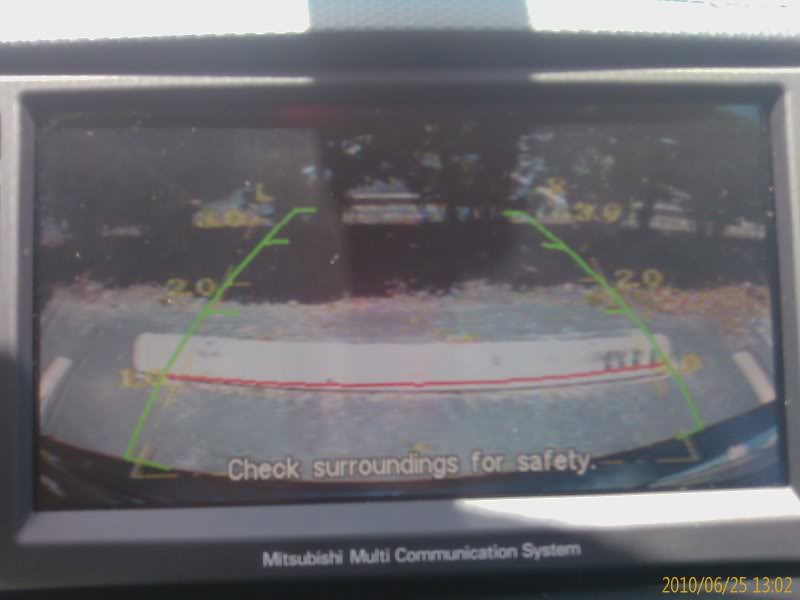
This is when parking using the red guide line, touching the parking bar.
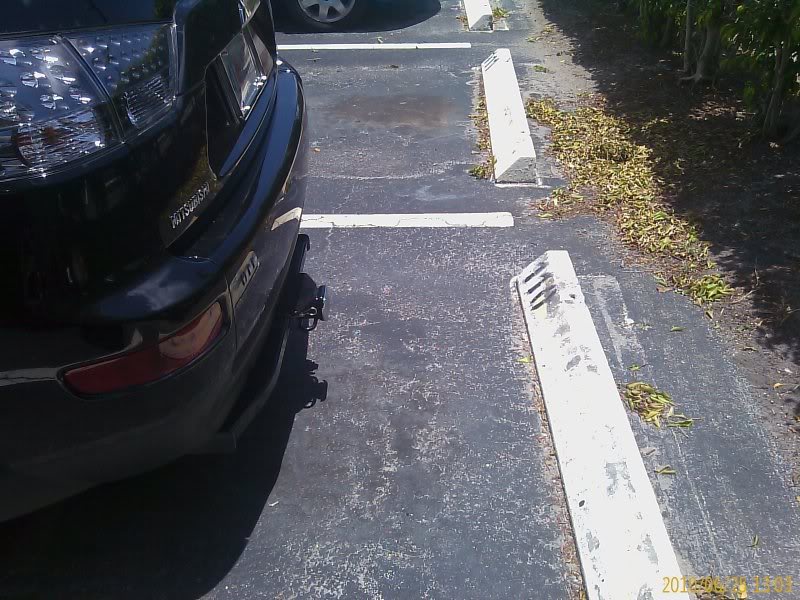
This is the distance between the bumper and the parking bar based on the red guide line.
Out of Topic Query:
Does anyone of you know the part number of the AUX Audio/Video port at the back of the center console and where i can purchase them on-line. I upgraded my Outtie from radio to MMCS when we bought it from the dealer (LEHMAN Mitshubishi - MIAMI), but the dealer didn't change the AUX, it still got the AUX Audio port. And when i tried to asked the dealer to replace the port, their service people keep telling me that they can't do it because it was fitted that way due to safety reason. Already told them that my former 08 XLS was fitted with one and the MMCS manual says that it should have one. But they just don't want to install it. The center console AUX has a prewired video port so all they need to change is the AUX module from AUX Audio to AUX Video/Audio. Went to the dealer parts, and i got this AUX Video/Audio module part number of 200A8178 and they are selling it for $80.00, which for me is too expensive. I tried searching the internet but cannot find one. Any help is much appreciated. Thank you.
Note: picture is overexposed due to too much sunlight. took it at 1:00
.
This is how the camera looks like in the pre-cut hole in the outlander.
This is view in the parking lot, you can see both lane. Also, you notice there are two guidelines, the yellow one from the camera and the green one from the mmcs. i overlapped the mmcs guideline to the camera guideline. The black thing at the bottom of the video is the bumper.
This is when parking using the red guide line, touching the parking bar.
This is the distance between the bumper and the parking bar based on the red guide line.
Out of Topic Query:
Does anyone of you know the part number of the AUX Audio/Video port at the back of the center console and where i can purchase them on-line. I upgraded my Outtie from radio to MMCS when we bought it from the dealer (LEHMAN Mitshubishi - MIAMI), but the dealer didn't change the AUX, it still got the AUX Audio port. And when i tried to asked the dealer to replace the port, their service people keep telling me that they can't do it because it was fitted that way due to safety reason. Already told them that my former 08 XLS was fitted with one and the MMCS manual says that it should have one. But they just don't want to install it. The center console AUX has a prewired video port so all they need to change is the AUX module from AUX Audio to AUX Video/Audio. Went to the dealer parts, and i got this AUX Video/Audio module part number of 200A8178 and they are selling it for $80.00, which for me is too expensive. I tried searching the internet but cannot find one. Any help is much appreciated. Thank you.
Last edited by Sniper-X; Jun 25, 2010 at 02:27 PM.

Senior Member
Joined: Aug 2007
Posts: 947
From: México
Does anyone of you know the part number of the AUX Audio/Video port at the back of the center console and where i can purchase them on-line. I upgraded my Outtie from radio to MMCS when we bought it from the dealer (LEHMAN Mitshubishi - MIAMI), but the dealer didn't change the AUX, it still got the AUX Audio port. And when i tried to asked the dealer to replace the port, their service people keep telling me that they can't do it because it was fitted that way due to safety reason. Already told them that my former 08 XLS was fitted with one and the MMCS manual says that it should have one. But they just don't want to install it. The center console AUX has a prewired video port so all they need to change is the AUX module from AUX Audio to AUX Video/Audio. Went to the dealer parts, and i got this AUX Video/Audio module part number of 200A8178 and they are selling it for $80.00, which for me is too expensive. I tried searching the internet but cannot find one. Any help is much appreciated. Thank you.[/COLOR][/B]
 I upgraded from CD-radio to MMCS too. About the video input, I added a connector recovered from videorecorder welding it directly into printer board to RCA adapter; one member wrote the procedure with pictures, only is neccessary to do of searching, but if you still want the original adapter. . .
http://www.japanparts.com/images/Ima...ase=1&no=27355
You can to obtain from japanparts here
http://www.japanparts.com/db/partsli...lkey=cali4-vtr
Last edited by jsrd; Jun 26, 2010 at 07:16 PM.
Junior Member
Joined: Jun 2010
Posts: 11
Great job and nice write up I upgraded from CD-radio to MMCS too. About the video input, I added a connector recovered from videorecorder welding it directly into printer board to RCA adapter; one member wrote the procedure with pictures, only is neccessary to do of searching, but if you still want the original adapter. . .
http://www.japanparts.com/images/Ima...ase=1&no=27355
You can to obtain from japanparts here
http://www.japanparts.com/db/partsli...lkey=cali4-vtr
I upgraded from CD-radio to MMCS too. About the video input, I added a connector recovered from videorecorder welding it directly into printer board to RCA adapter; one member wrote the procedure with pictures, only is neccessary to do of searching, but if you still want the original adapter. . .http://www.japanparts.com/images/Ima...ase=1&no=27355
You can to obtain from japanparts here
http://www.japanparts.com/db/partsli...lkey=cali4-vtr
Jsrd, thanks for the link. At least it was cheaper at $44.80.
