


DVD in motion patch for NR261UM



Member
Joined: May 2008
Posts: 86
 RE: DVD in motion patch for NR261UM
ORIGINAL: jsrd
Thank´s Doublecheese, I don't understand absolutely nothing to website, but why you comment about its possibilities, I want one. . .
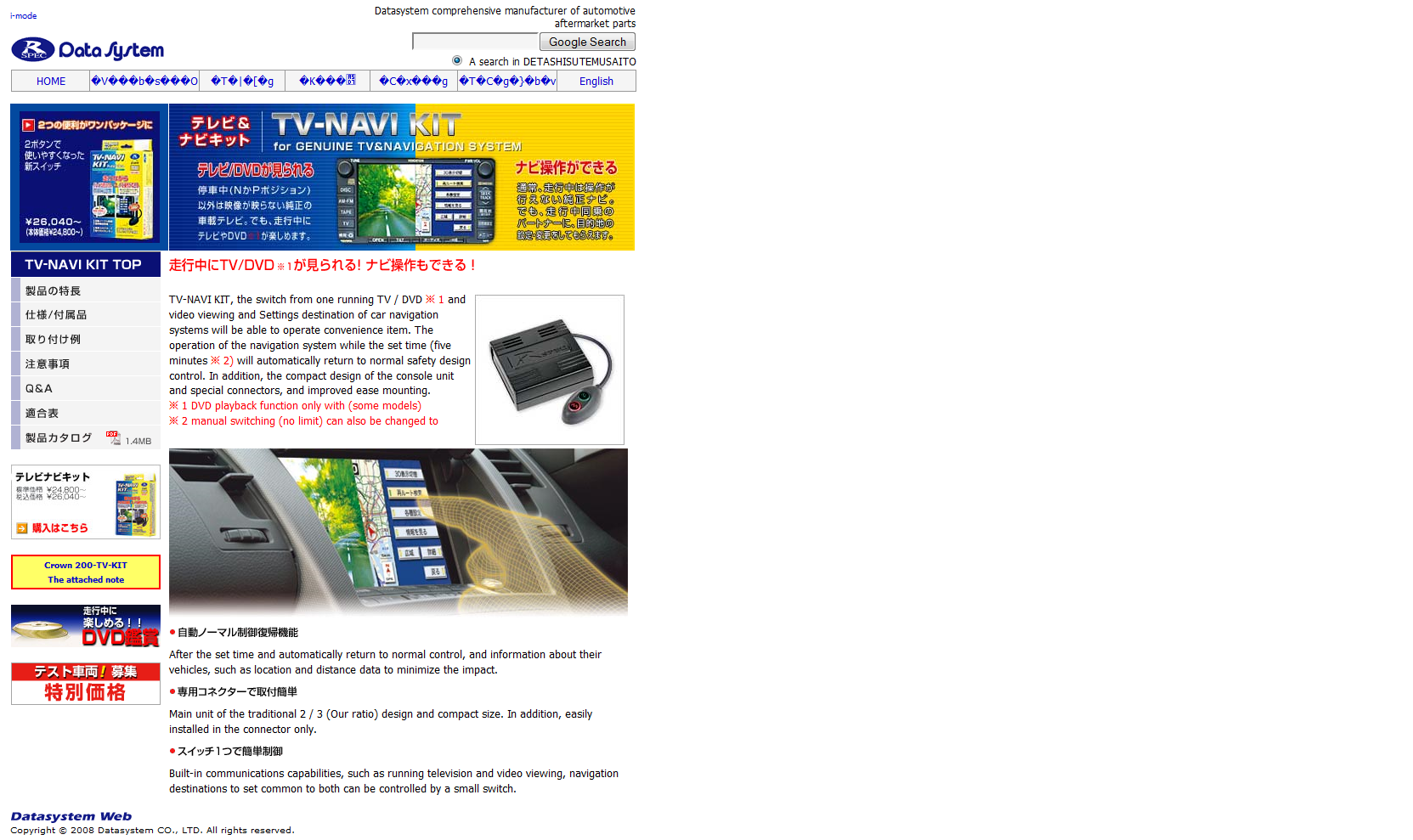
Here it is : http://www.datasystem.co.jp/catalog/tvnavi/index.html if you understand something let us know too 
As I explained aerlier I already bought this one : http://www.datasystem.co.jp/catalog/...uto/index.htmland it's working superbly fine. Now I can watch anything on my MMCS like : DVD - TV - VIDEO - AUX absolutely anything and it while IN MOTION . This thing has a SWITCH , when you press the switch, it keeps being switched ON until you switch it back OFF. ( this is good so you don't have to press the switch everytime you start your car)
However as I explained, while this switch is ON the GPS sginals are not working, this means you can not NAVIGATE and WATCH DVD or VIDEO at the same time.
This new kit TV+NAVI , I think it will enable you to WATCH DVD-TV-VIDEO and at the same time it will allow you to NAVIGATE , I'm guessing.
Now we have holidays here until 6th October, once I'm back to work I will ask my Japanese Friend to explain this TV+NAVI kit , however try your luck and send this company an e-mail, maybe they will reply you.
Member
Joined: May 2008
Posts: 86
RE: DVD in motion patch for NR261UM
ORIGINAL: schwartz1
Use Google to translate the page, its not hard, copy the link and paste it into Google's search box and when the results come up, click "translate this page"
Use Google to translate the page, its not hard, copy the link and paste it into Google's search box and when the results come up, click "translate this page"

Joined: Sep 2008
Posts: 6
RE: DVD in motion patch for NR261UM
ORIGINAL: schwartz1
Use Google to translate the page, its not hard, copy the link and paste it into Google's search box and when the results come up, click "translate this page"

Use Google to translate the page, its not hard, copy the link and paste it into Google's search box and when the results come up, click "translate this page"

Junior Member
Joined: Jul 2008
Posts: 22
RE: DVD in motion patch for NR261UM
Are the instructions in the package in English? I'm afraid to buy something and then cant install it because of language barrier. Can you upload the instruction and maybe pictures here so we can have an idea and maybe if somebody buys it is not stuck with Japanese instructions. Thanks.
Member
Joined: May 2008
Posts: 86
RE: DVD in motion patch for NR261UM
Nope , it's only in japanese
I don't know if I still have the instruction manual if I find it I will upload it here . However you don't need a manual,
because it's the simplest thing on earth .
TV kit has two sockets, one of them is the exactly same shape socket that goes behind the MMCS, the other one is
the exact female of the same socket.Just take off the socket behind the MMCS and plug that socket into socket hole
provided by the TV KIT and then plug the other socket of the TV Kit into MMCS .
Same thing applies to the GPS antenna, just take off the original GPS antenna off the MMCS and plug it to the socket
provided by TV KIT and connect the GPS antenna Socket of the TV KIT to the MMCS.
That's it, I told you,,,, it took me 3 minutes to install after taking the MMCS out of it's place.
By the way I'm just a regular guy who has a minimum knowledge about electronics and electrics.
I don't know if I still have the instruction manual if I find it I will upload it here . However you don't need a manual,
because it's the simplest thing on earth .
TV kit has two sockets, one of them is the exactly same shape socket that goes behind the MMCS, the other one is
the exact female of the same socket.Just take off the socket behind the MMCS and plug that socket into socket hole
provided by the TV KIT and then plug the other socket of the TV Kit into MMCS .
Same thing applies to the GPS antenna, just take off the original GPS antenna off the MMCS and plug it to the socket
provided by TV KIT and connect the GPS antenna Socket of the TV KIT to the MMCS.
That's it, I told you,,,, it took me 3 minutes to install after taking the MMCS out of it's place.
By the way I'm just a regular guy who has a minimum knowledge about electronics and electrics.


