


DVD in motion patch for NR261UM


Junior Member
Joined: Mar 2009
Posts: 14

No anthony, i did not lose any features- my dad was worried about that so we tested everything. The website as i said before- deltainfo is http://www.deltainfo.ro/manuals/mitsu/outlander/
my procedure was- i found a old laptop that uses ide harddrives so i unhooked the normal hdd plugged in the car's hdd- ran xboxhdm to unlock then harddrive, then i bought a laptop harddrive enclosure, put the car's hdd into that and plugged it into my normal desktop which was running vista temporarly, XP or vista- doesnt matter u can use either1. and what u have to do is, go to the deltainfo find 30.94 dvd not allowed, take the alldata.kwi and loading.kwi and overwrite the 2 files and there is a loading.kwi in another partition u have to also overwrite that. then plug harddrive into car- unhook car battery for 5mins then start up the car. and wah la
my procedure was- i found a old laptop that uses ide harddrives so i unhooked the normal hdd plugged in the car's hdd- ran xboxhdm to unlock then harddrive, then i bought a laptop harddrive enclosure, put the car's hdd into that and plugged it into my normal desktop which was running vista temporarly, XP or vista- doesnt matter u can use either1. and what u have to do is, go to the deltainfo find 30.94 dvd not allowed, take the alldata.kwi and loading.kwi and overwrite the 2 files and there is a loading.kwi in another partition u have to also overwrite that. then plug harddrive into car- unhook car battery for 5mins then start up the car. and wah la


Junior Member
Joined: Feb 2009
Posts: 1
No anthony, i did not lose any features- my dad was worried about that so we tested everything. The website as i said before- deltainfo is http://www.deltainfo.ro/manuals/mitsu/outlander/
my procedure was- i found a old laptop that uses ide harddrives so i unhooked the normal hdd plugged in the car's hdd- ran xboxhdm to unlock then harddrive, then i bought a laptop harddrive enclosure, put the car's hdd into that and plugged it into my normal desktop which was running vista temporarly, XP or vista- doesnt matter u can use either1. and what u have to do is, go to the deltainfo find 30.94 dvd not allowed, take the alldata.kwi and loading.kwi and overwrite the 2 files and there is a loading.kwi in another partition u have to also overwrite that. then plug harddrive into car- unhook car battery for 5mins then start up the car. and wah la
my procedure was- i found a old laptop that uses ide harddrives so i unhooked the normal hdd plugged in the car's hdd- ran xboxhdm to unlock then harddrive, then i bought a laptop harddrive enclosure, put the car's hdd into that and plugged it into my normal desktop which was running vista temporarly, XP or vista- doesnt matter u can use either1. and what u have to do is, go to the deltainfo find 30.94 dvd not allowed, take the alldata.kwi and loading.kwi and overwrite the 2 files and there is a loading.kwi in another partition u have to also overwrite that. then plug harddrive into car- unhook car battery for 5mins then start up the car. and wah la

Member
Joined: Aug 2008
Posts: 99
From: Hawaii/ Portland OR
Just search the drives for *kwi
it will find it, after you have replaced BOTH of them remove the battery for about 5 minutes. Start up the car and the drive will go through a check, after it finishes that and boots up insert the CD (it should shot it is version 94 at this point) and it will update the DVD in motion.
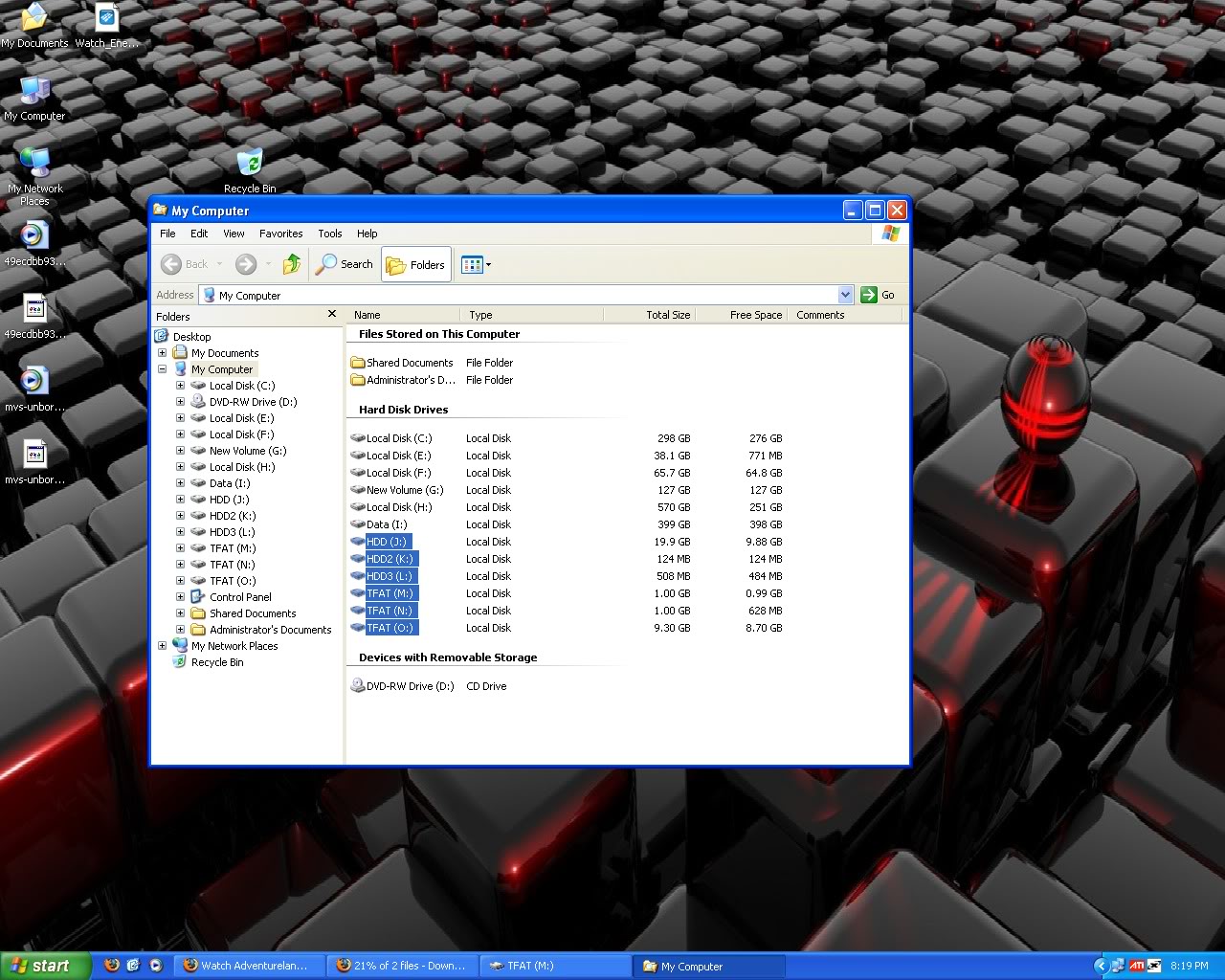
it will find it, after you have replaced BOTH of them remove the battery for about 5 minutes. Start up the car and the drive will go through a check, after it finishes that and boots up insert the CD (it should shot it is version 94 at this point) and it will update the DVD in motion.

Junior Member
Joined: Sep 2008
Posts: 1
I have 1.09 00.31.10 and it doesn't work, is there something i can do?


Junior Member
Joined: Aug 2009
Posts: 6
Hi all.
I'm new here. I'm spanish.
I've seen this thread about "DVD in motion patch" and i applied in my car successfully.
Loader version: 261EM 1.09
Aplication: 00.31.06
I have to update the software because i have problems with this version (navi reboots, radio FM don't working properly, the time is delayed, etc) and
are solved upgrading but i will lose "in motion DVD" with the new upgrade.
My Question is:
If i dump the .kwi files from the new upgrade, could someone patch the files in the new version? and make operate "in motion DVD" in the new version?
Regards.
I'm new here. I'm spanish.
I've seen this thread about "DVD in motion patch" and i applied in my car successfully.
Loader version: 261EM 1.09
Aplication: 00.31.06
I have to update the software because i have problems with this version (navi reboots, radio FM don't working properly, the time is delayed, etc) and
are solved upgrading but i will lose "in motion DVD" with the new upgrade.
My Question is:
If i dump the .kwi files from the new upgrade, could someone patch the files in the new version? and make operate "in motion DVD" in the new version?
Regards.
Member
Joined: Aug 2008
Posts: 99
From: Hawaii/ Portland OR
Otaku is working on making a "Universal Patcher" So that any version that is out there currently will be patched as well as any future version that may come out.


Thread Starter
|
Senior Member
Joined: Nov 2007
Posts: 224
From:
Meh.
Best laid plans, etc ..
Its taking too long to get this shiz up and running, so...
If someone wants to upload whatever the latest versions are on rapidshare, I'll patch 'em tomorrow ...
I'm still working on the main software, but I've sorta got bogged down in a rewrite..
atb.
O.
Best laid plans, etc ..
Its taking too long to get this shiz up and running, so...
If someone wants to upload whatever the latest versions are on rapidshare, I'll patch 'em tomorrow ...
I'm still working on the main software, but I've sorta got bogged down in a rewrite..
atb.
O.